



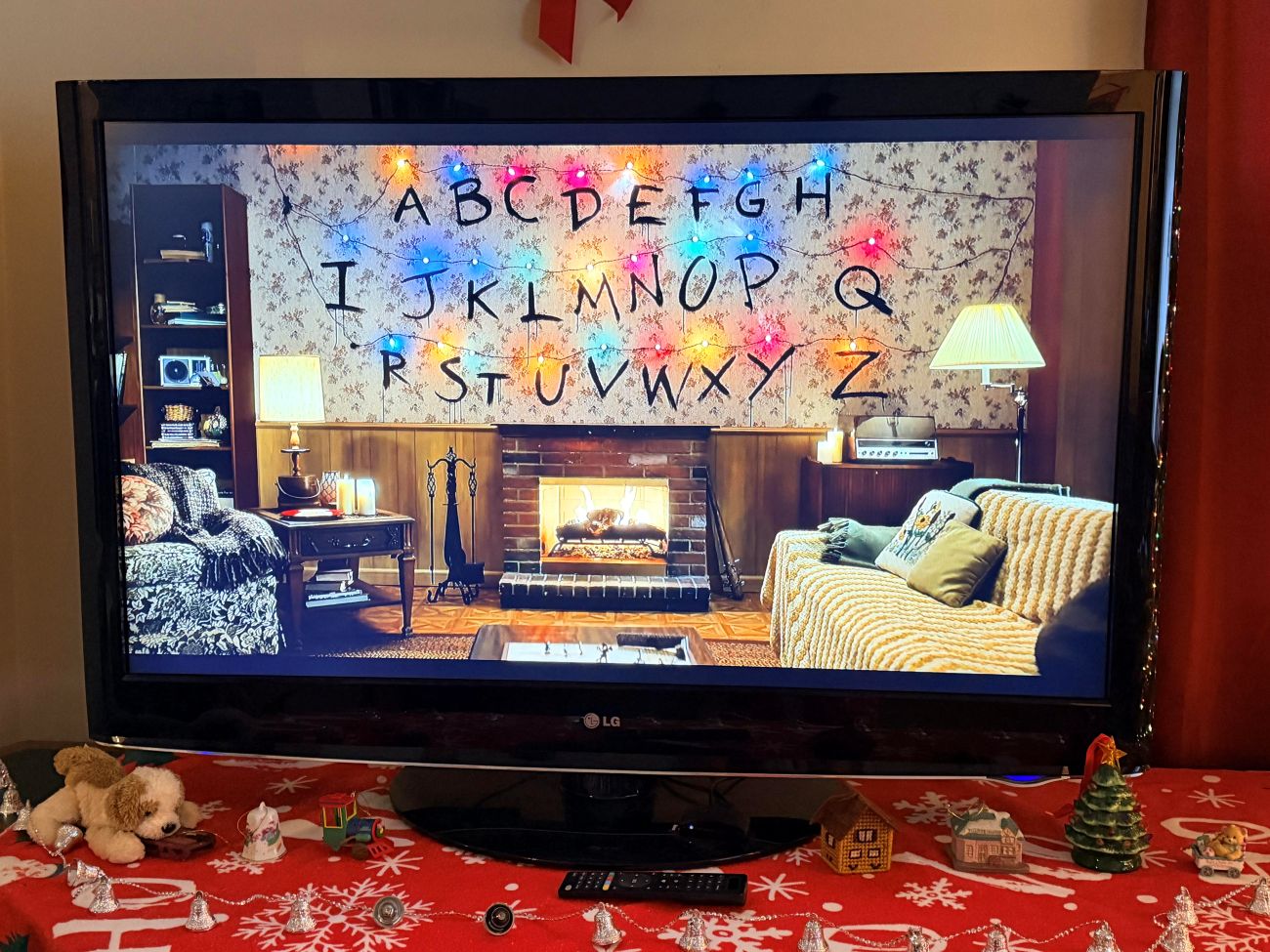
If you don’t have a real hearth and need a festive atmosphere right now, you can put a Christmas fireplace on TV in seconds. Since there is no time left for shopping, your best bet is to use the streaming services and apps already built into your television to create an instant holiday glow.
Netflix: Themed Fireplaces From Your Favorite Shows
On Netflix, the fastest trick is to open the app and search “fireplace.” According to How-To Geek, that search pulls up both classic yule logs and a surprising number of themed scenes that turn your TV into a piece of your favorite show.
A 2025 roundup from New On Netflix lists options such as:
- Stranger Things: Fireplace – The Byers’ living room with the iconic alphabet wall, Christmas lights, and a chilling trip to the Upside Down.
- Wednesday: Fireplace – A gothic hearth at Nevermore Academy, featuring Thing tending the flames.
- The Witcher: Fireplace – A medieval firepit at Kaer Morhen with the series score in the background.
- Bridgerton: Fireplace – A refined Regency drawing room with a crackling fire and elegant décor.
You’ll also see family‑friendly options like Paw Patrol Holiday Fireplace, and more stylized picks such as KPop Demon Hunters and Unicorn Academy. Most run about an hour; just hit play again if you want the fire going all night.
YouTube & Free Streaming Fireplaces
If you don’t subscribe to Netflix, YouTube is the simplest route to a Christmas fireplace on TV today:
- Open the YouTube app on your smart TV, Roku, or Fire TV.
- Search “Christmas fireplace 4K” or “yule log 10 hours.”
- Choose a long, high‑resolution video and let it loop.
Cord Cutters News highlights hours-long yule logs on YouTube, Pluto TV’s Fireplace TV channel, and Xumo’s Fireplace for the Holidays for free, always-on flames with music and crackling sounds.
Smart TV Apps and Screensavers
Most smart TVs (Samsung, LG, Sony) and streaming sticks have dedicated fireplace apps in their respective app stores. You can also use premium downloads like Uscenes, which lets you loop 4K fireplace videos from a USB stick as a TV “screensaver.”
If you have an old TV or a computer monitor nearby, you can even cast a fireplace video from your phone or tablet to that screen to add extra warmth to a different corner of the room.